Hello World
This example just asks you to input the value for a variable named var_name and returns this value as string ‘Hello <data you typed in>’ Just to show you that python and jinja2 are handled totally equal, this example is written in both languages.
Python:
# Copyright 2019 Wilhelm Putz

# Licensed under the Apache License, Version 2.0 (the "License");
# you may not use this file except in compliance with the License.
# You may obtain a copy of the License at
#
#    http://www.apache.org/licenses/LICENSE-2.0
#
# Unless required by applicable law or agreed to in writing, software
# distributed under the License is distributed on an "AS IS" BASIS,
# WITHOUT WARRANTIES OR CONDITIONS OF ANY KIND, either express or implied.
# See the License for the specific language governing permissions and
# limitations under the License.

return f"Hello {var_name}"
Jinja2:
{# Copyright 2019 Wilhelm Putz

# Licensed under the Apache License, Version 2.0 (the "License");
# you may not use this file except in compliance with the License.
# You may obtain a copy of the License at
#
#    http://www.apache.org/licenses/LICENSE-2.0
#
# Unless required by applicable law or agreed to in writing, software
# distributed under the License is distributed on an "AS IS" BASIS,
# WITHOUT WARRANTIES OR CONDITIONS OF ANY KIND, either express or implied.
# See the License for the specific language governing permissions and
# limitations under the License.
#}
Hello {{ var_name }}
Run The Task Via CLI
run the python task
jinjamator -t <path to examples>/01-hello-world-minimal/python
run the jinja2 task
jinjamator -t <path to examples>/01-hello-world-minimal/jinja2
Run The Task Via WebGUI
To start the daemon run jinjamator with following command.
jinjamator --task-base-dir <path to examples> -d -vvv
Then open a browser and open http://localhost:5000
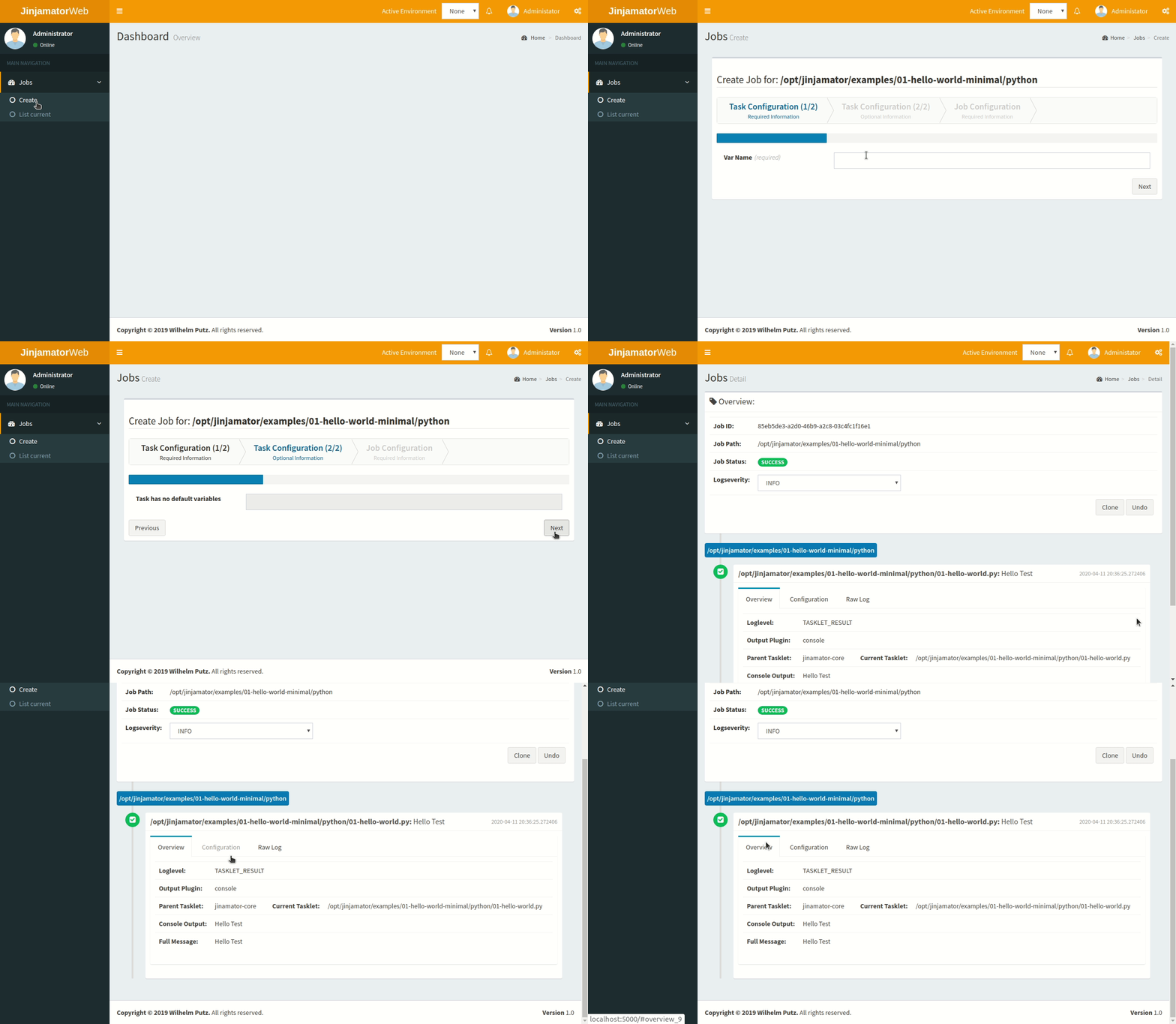
run the python task
run the jinja2 task
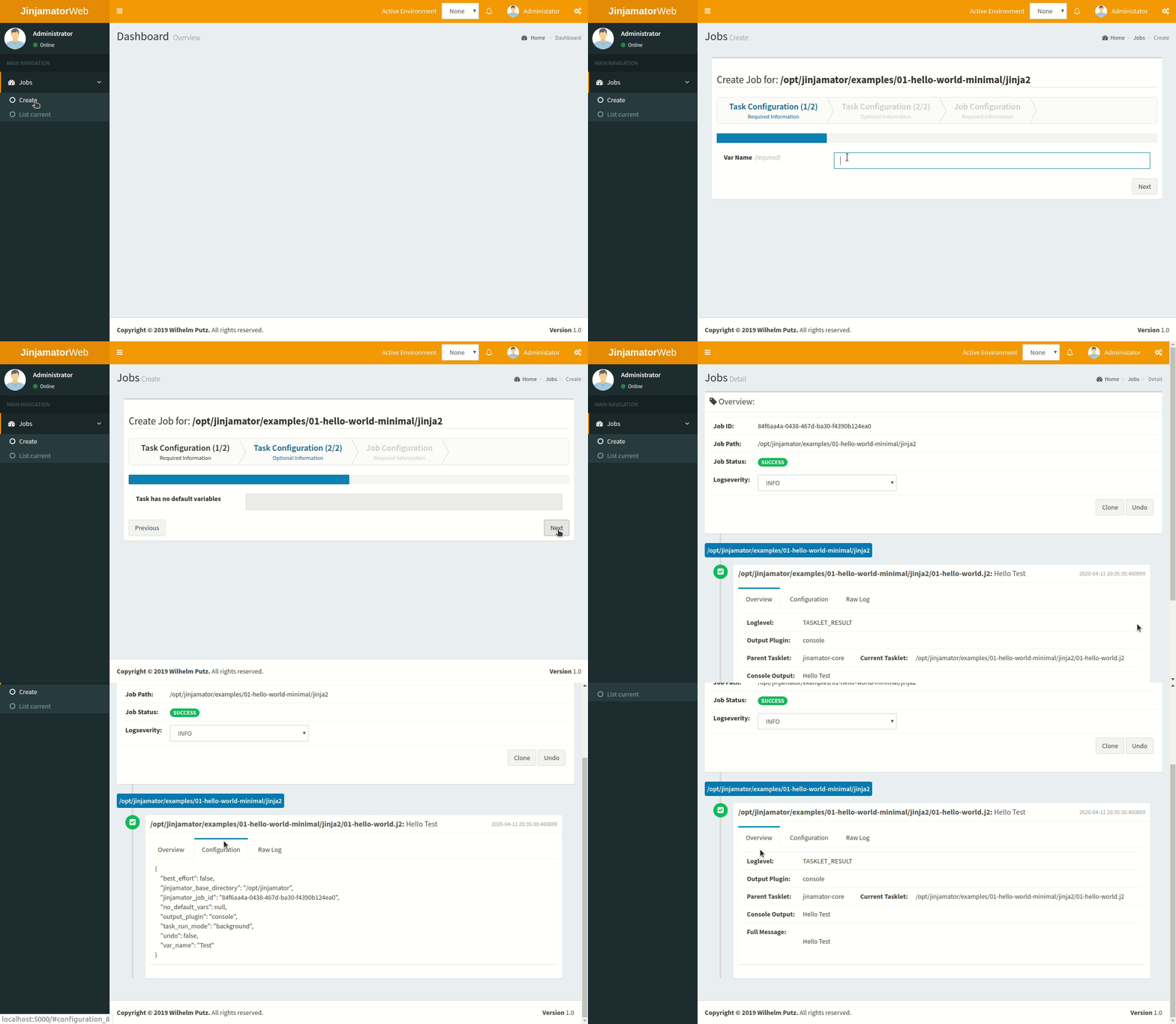
as you can see, there is no difference between the output of the python and the jinja2 task.